Event Coordinators run venue-linked events on DJMySongs — upload promo assets and performer slides, feature the active performer on venue screens, invite the crowd to vote during performer-driven nights, and build a public coordinator presence that helps your events get discovered.
Event Coordinator access requires an application and admin approval.
Manage event details, prepare screen-ready promo assets, share guest participation links, and keep venue staff aligned before showtime.
Create and manage your events. See which are active, which are closed, and get quick access to every event's links and details.
Upload event-specific promo photos — event posters, lineup graphics, branded images — that display on venue screens during the event.
Access the public event link, display screen link, and QR code for every event. Share them with guests, staff, or on promo materials — no DJ involvement needed.
Coordinators can be assigned to one or more venues by an admin. See all your assigned venues and the events associated with each one.
Upload performer images or spotlight slides for venue screens. When a performer is active, display their slide and invite the crowd to vote or react from their phones.
Uploaded promo slides are reviewed and placed by Venue Managers, so screen content stays coordinated with the venue team. Your materials go through the right hands before they go live.
Create your account at /register/event-coordinator and verify your email address to unlock the application form.
Complete the Event Coordinator intake form with your details, event type focus, and a short description of your work.
Your application goes to the DJMySongs team for review. You'll receive an email once your access is approved.
Log in to your coordinator dashboard, create an event, and get your event links and QR code ready.
Upload event posters, lineup graphics, or branded images — they'll display on venue screens during the event.
Share your audience link and display screen link. During the event, venue screens can feature your promo or performer slides, while guests join from their phones to participate and vote when enabled.
Create the event visual, spotlight each performer on venue screens, and give the crowd a simple way to participate from their phones.
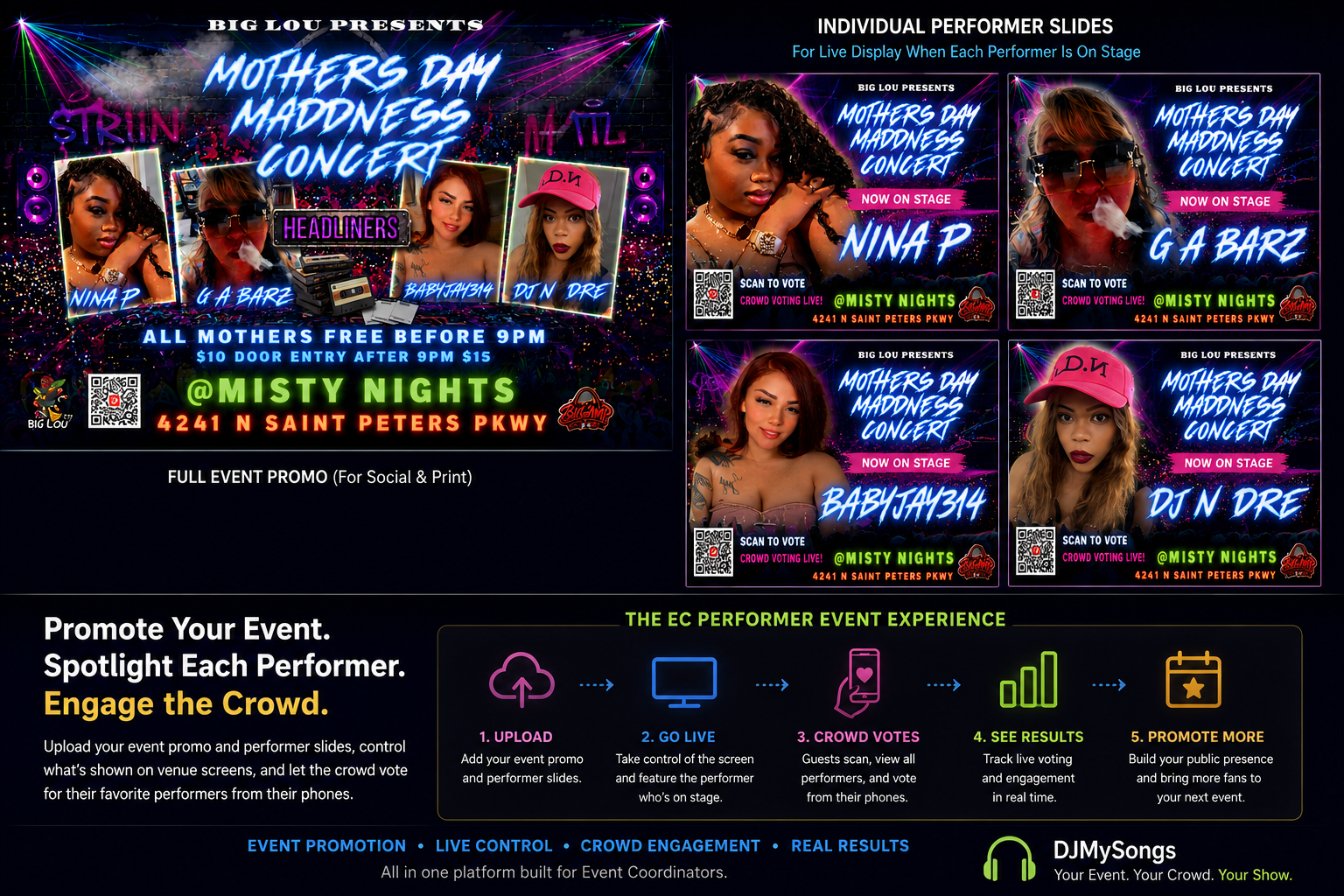
Event Coordinators, DJs, and Venue Managers each have their own workspace on DJMySongs — and they connect through shared events, venues, and audience links so the night runs as one.
Running a showcase, contest, or performer lineup? Upload each performer's slide, display the active act on venue screens, and invite the crowd to vote from their phones during the event.
Register as an Event Coordinator, complete your application, and get approved to start managing events with DJMySongs.
Event Coordinator access requires an application and admin approval.